How can I share a category with other users?
1. Long-press one or more categories you want to share.
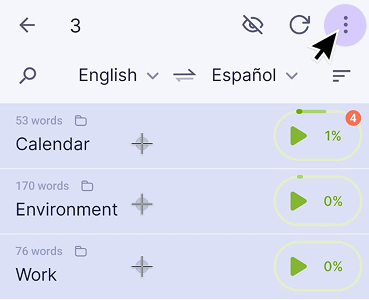
2. Tap the three-dot menu in the top-right corner.
3. Select Send categories and choose how you want to share the file (for example, via email or messenger).
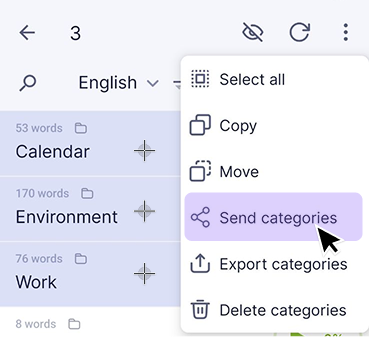
The categories will be sent as an .lxf file.
To open it, the recipient must save the file on their device and import it in the app using Menu → Import.
You may also find these articles helpful: